Schengen Visa Photo Requirements: Exact 2026 Size & Rules
Schengen visa photo requirements follow ICAO 9303: 35×45 mm, head 32–36 mm — but background and upload rules vary by consulate. The exact spec, by country.
You measured the photo yourself, matched it to a printout of a spec sheet you found online, and handed it in at the visa application centre. Two weeks later the email arrives: photo does not meet requirements, resubmit. No line item, no explanation — just a form letter and a new appointment slot three weeks out.
Here's the part that trips up almost everyone: the Schengen visa photo requirements are not one rulebook. They're a shared floor — the ICAO 9303 biometric standard — that all 29 Schengen states build on, and then each consulate layers its own preferences on top. A photo Germany accepts without comment can bounce at a French consulate for a reason that has nothing to do with your face.
Schengen Visa Photo Requirements at a Glance
| Spec | Requirement |
|---|---|
| Dimensions | 35×45 mm (413×531 px at 300 DPI) |
| Shape | Portrait rectangle |
| Underlying standard | ICAO Doc 9303 — the same biometric spec behind e-passports |
| Head height | 32–36 mm, chin to crown |
| Background | Plain, light, evenly lit — exact shade varies by consulate |
| Format | JPEG |
| Photo age | Taken within the last 6 months |
| Expression | Neutral, eyes open, mouth closed, facing camera directly |
| Submission | Often via VFS Global or TLScontact, not a direct online upload |
| Make one now | Make a Schengen visa photo |
What Size Should a Schengen Visa Photo Be?
35 millimeters wide by 45 millimeters tall. That rectangle comes from ICAO Doc 9303, the International Civil Aviation Organization's specification for machine-readable biometric photos — the same document that governs the photo embedded in your e-passport chip. It's why Schengen photos use a portrait rectangle instead of the 2×2 inch square the US applies to its own visas: two different standards bodies, two different shapes.
At 300 DPI, the resolution most consulate scanners and print labs expect, 35×45 mm converts to 413×531 pixels. If a visa application centre's upload portal only takes a pixel count, use that figure directly rather than converting from millimeters by hand — rounding errors compound faster than you'd think.
Head height — measured chin to crown, not including hair volume — needs to land between 32 and 36 mm. That's a narrower band than it looks. Stand too close to the camera and you blow past 36 mm; frame too loose and you drop under 32 mm with too much shoulder in the shot. Neither fails visually. Both fail the measurement.
Key takeaway: if a form asks for a square photo instead of a rectangle, you're likely looking at a non-Schengen country's spec — confirm with our 35×45mm resize tool that you're matching the right shape before you upload anything.
Why Do Schengen Countries Not Agree on Background Color?
ICAO 9303 specifies a plain, light, evenly lit background — it does not pin down an exact shade. That gap is where national photo guidance diverges, and it's the single most common reason a technically correct photo still gets rejected.
Germany's Federal Foreign Office and France's service-public.fr both call for a light, neutral backdrop in their official photo samples, and in practice that reads as light gray rather than stark white. Other member states publish their own sample sheets with their own tolerances, and a photo booth default of pure white doesn't automatically satisfy any of them.
Here's what most guides skip: this isn't a minor styling detail. Consulates increasingly run photos through automated biometric-quality checks before a human ever looks at the application. A background that reads as "too bright" or "uneven" to that software fails the check silently — you don't find out why, only that it failed.
If you're applying specifically to Germany or France, our Germany visa photo tool and France visa photo tool apply the background tone each country's guidance points to, so you're not guessing at a hex value from a PDF.
Key takeaway: ICAO sets the floor — plain and light — but the exact shade is a national decision. Match the country you're applying to, not a generic "Schengen" default.
Can You Upload a Digital Photo, or Does Every Consulate Require Print?
This is the divergence nobody warns you about. Some Schengen consulates and their outsourced visa application centres accept a digital photo upload as part of an online pre-application form. Others still require a physical, printed photo handed over in person, on top of — or instead of — anything submitted digitally.
Italy and Spain's consular networks, in particular, tend to lean on in-person photo submission at the application centre rather than a portal upload, while the Netherlands' online systems more often accept a digital file as part of the initial form. None of this is fixed forever — appointment systems and outsourcing partners change their intake process without much notice.
Key takeaway: don't assume "digital" or "print" from one country's process — check the specific application centre's current instructions, and prepare both a compressed digital file and a print-ready sheet so you're covered either way. Our Italy visa photo, Spain visa photo, and Netherlands visa photo tools each output both formats in one pass.
Consulate or VFS/TLScontact — Who Actually Checks Your Photo?
Most Schengen visa applications today don't go straight to an embassy. They route through a third-party visa application centre — VFS Global or TLScontact are the two largest — that handles intake for several consulates out of the same physical office.
That matters for your photo because the first check often happens at the counter, not at the consulate. VFS and TLScontact staff are trained to reject a photo on the spot if it obviously fails — wrong size, visible shadow, glasses glare — which saves you a mailed rejection but also means you get one shot at the appointment unless you bring backups. Bring two or three printed copies and have the digital file ready on your phone; a counter agent asking for "the original file" is common enough to plan for.
The consulate itself performs a second, more automated check later in processing. A photo that clears the counter can still be flagged at this stage if it fails the biometric-quality software, which is stricter about lighting evenness and head positioning than a human glance.
Key takeaway: treat the VAC counter as a first filter, not the final word — get the measurements right before you arrive, since a human reviewer under time pressure won't catch every deviation the software will.
Why Was a Photo Accepted in Germany Rejected in France?
This happens more than applicants expect, and it's not random. The 35×45 mm frame, the head-height band, the neutral expression — those are ICAO baseline requirements every Schengen state shares, so a photo built to that spec clears the size check everywhere. What differs is everything ICAO leaves as a national choice: background shade tolerance, how strict the automated quality check is tuned, and whether a slight shadow or minor red-eye triggers an automatic flag or gets waved through by a reviewer.
A photo with a faint shadow along one side of the background might pass a manual review in one country and get auto-rejected by stricter scanning software in another. Neither consulate is wrong — they're both enforcing the same ICAO floor with a different ceiling on top.
Key takeaway: don't treat "it worked for my friend's Germany visa" as proof it'll work for your France application. Match the specific country's sample photos, not a friend's success story.
Digital File or Print Sheet — Which One Do You Need?
A Schengen visa photo means two different files depending on what you're doing with it, and submitting the wrong one is a quiet way to add weeks to your timeline.

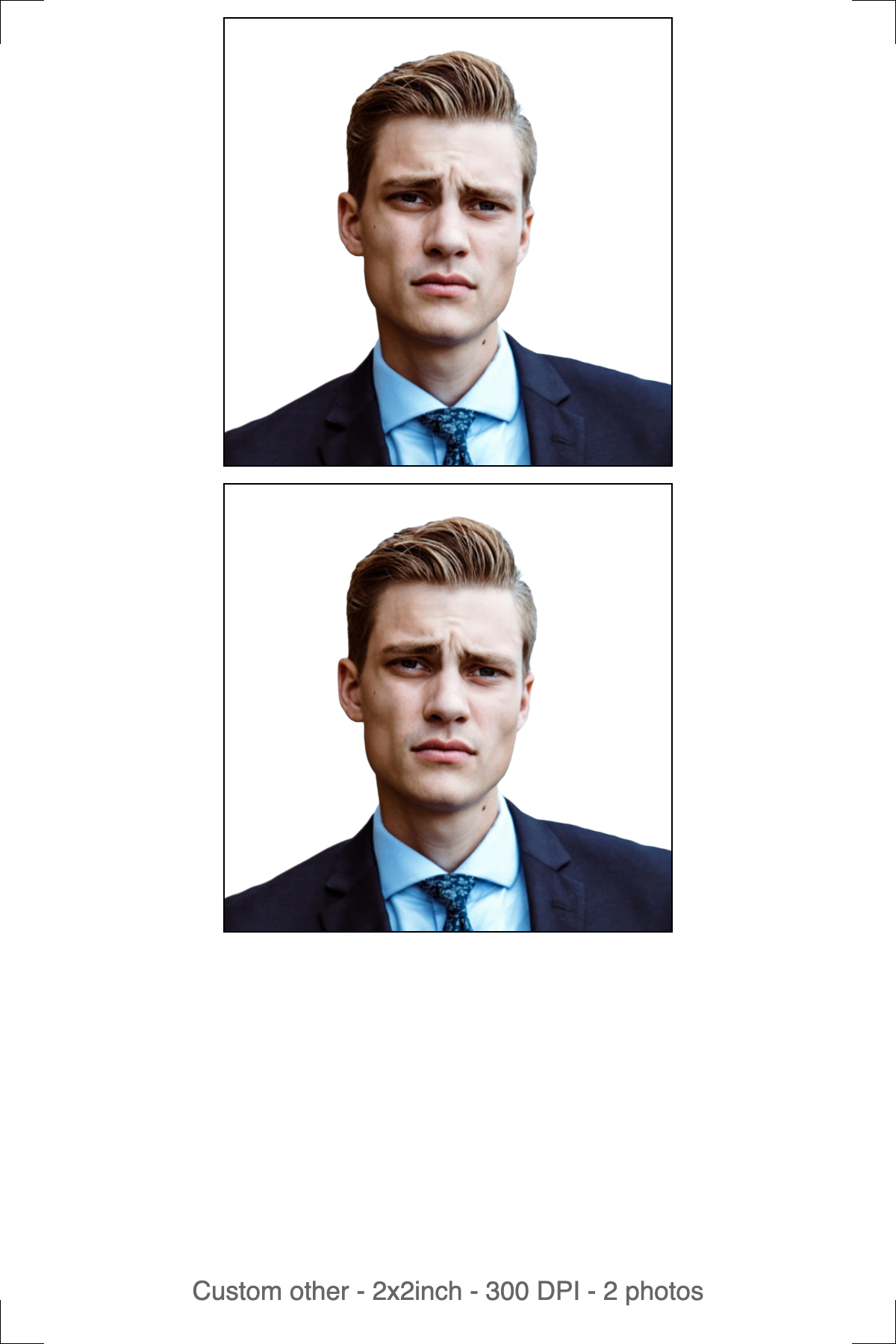
Left: the digital file for an online form or email submission. Right: the 4R print sheet for a VAC counter or photo lab.
The digital photo — for online forms and email submission
One photo, cropped to 35×45 mm, background corrected, compressed under whatever KB ceiling the portal states. No border, no cut marks, no white margin — automated checks measure your head against the photo edge, and an extra margin shifts every measurement even when the face itself is perfect.
The print sheet — for the VAC counter or a photo lab
The same photo tiled onto 4R (6×4 in) photo paper at true 300 DPI, with cut guides. Print it actual size — if your printer offers "fit to page" or "scale to fill," turn that off, since scaling changes the physical head height along with everything else. Use photo paper, not plain copier stock; most application centres reject the latter outright. Cut along the guides, not inside or outside them.
Key takeaway: carry the print sheet to your appointment, keep the digital file on your phone as backup, and never assume one substitutes for the other.
Should You Use Automatic or Manual Mode?
Automatic mode is the default and handles most photos in one pass: it detects your face, crops to 35×45 mm, removes the background, and applies the correct light backdrop — no manual selection required.
Manual mode hands you the controls instead. You crop the frame yourself, then background removal runs, then you download — three steps instead of one. Switch to it when automatic detection misjudges the framing, which happens most with a partial face angle, glasses glare confusing the edge detection, or a photo of a baby who won't hold still.
The toggle sits above the upload area on the tool page — set it before you upload, since it determines which processing screen you land on next.
Key takeaway: default to automatic; drop to manual only when the auto-crop visibly gets the head height or background edge wrong.
How Do You Hit the Exact File Size in KB?
Many Schengen application portals cap the digital upload well under 1 MB, and some VACs set a tighter limit for email submissions. A phone photo resized to 413×531 px can still land at 300–600 KB straight out of the camera, because pixel dimensions and file weight are two separate checks — passing one says nothing about the other.
Quality sliders make this worse, not better. An 80% quality setting might compress one photo to 40 KB and an almost identical one to 120 KB, depending on how much detail sits in the background. That's why targeting kilobytes directly beats guessing at a percentage — especially on a passport-style photo where the margin for error is small to begin with.
imresizer.com/templates/compress lets you enter a KB target directly, so you compress straight to your consulate's stated number instead of trial-and-error at a quality slider.
Key takeaway: resize to 413×531 px first, then compress to the exact KB ceiling — reversing that order produces a soft, over-compressed photo at the same file size.
How to Make a Schengen Visa Photo Using imresizer
- Go to imresizer.com/resize-image-to-schengen-visa-size
- Upload your photo — click the button or drag and drop. JPG, PNG, and WebP are all accepted.
- Pick automatic or manual mode before processing, depending on how straightforward the framing is.
- The crop applies at 35×45 mm with a light background automatically. Confirm your head sits within the 32–36 mm range before you finalize it.
- Set a KB target if your consulate or VAC states one, then download — you get both the digital file and a 4R print sheet.
Everything runs in your browser — no signup, no watermark. Your photo never leaves your device.
Key Takeaways
Free Passport & Visa Tools
Frequently Asked Questions
What are the exact Schengen visa photo requirements?
35×45 mm, or 413×531 pixels at 300 DPI, with head height 32–36 mm from chin to crown. This comes from the ICAO 9303 biometric photo standard shared across all Schengen states, though background color and file-upload rules still vary by the specific consulate you're applying through.
Does every Schengen country want the same background color?
No. ICAO 9303 only requires a plain, light, evenly lit background — the exact shade is left to each country. Germany's and France's official guidance both point toward light gray rather than pure white, but always check your destination consulate's own sample photos before assuming one shade fits every application.
Can I upload my Schengen visa photo online, or do I need a printed copy?
It depends on the application centre. Some Schengen visa portals accept a digital upload as part of the online form; others require a printed photo handed over in person at VFS Global or TLScontact. Prepare both a compressed digital file and a printed 4R sheet so you're covered either way.
Why was my Schengen visa photo accepted for one country but rejected for another?
Both photos likely met the shared ICAO size and framing baseline, but each country tunes its background tolerance and automated quality check differently. A faint shadow or slightly off-white background that one consulate waves through can trigger an automatic flag at another.
How recent does a Schengen visa photo need to be?
Within the last six months, and it needs to still resemble your current appearance. Visa officers and application-centre staff both check the date during processing, so a photo from an old passport application — even if the size is technically correct — is a common resubmission reason.
More Passport & Visa Guides
This guide is part of our Passport & Visa hub — tools and guides for creating compliant passport, visa, and ID photos from home.