NEET Photo Size 2026: Photo, Postcard & Signature Specs
The correct NEET photo size is 3.5×4.5cm under 200KB — but NEET also needs a postcard photo and signature upload, each with its own exact spec and KB limit.
You've filled out every field on the NEET application form, uploaded what you were sure was a compliant photo, and the portal throws it back — "invalid file size" or "dimensions do not match." You fix that one, submit again, and get stopped by the signature upload instead. Then you find out there's a third photo you hadn't even prepared for.
The NEET photo size the NTA requires is exact: 3.5×4.5cm, white background, under 200KB, JPEG. But NEET is unusual among exam portals because it doesn't stop at one photo. You need a passport-size photo, a postcard-size photo, and a signature scan — three separate uploads, three separate specs, and three separate ways to get rejected. Most guides cover the first one and leave you to figure out the other two on your own.
NEET Photo Size Requirements at a Glance
| Upload | Dimensions | File size | Format | Background |
|---|---|---|---|---|
| Passport photo | 3.5cm × 4.5cm (413×531 px @ 300 DPI) | Under 200KB | JPEG | Plain white |
| Postcard photo | 4in × 6in (1200×1800 px @ 300 DPI) | Under 200KB | JPEG | Plain white |
| Signature | 3.5cm × 1.5cm | Under 30KB | JPEG | Plain white |
| Make one now | NEET passport photo | NEET postcard photo | NEET signature | — |
These numbers come directly from NTA's stated upload requirements for the current NEET application cycle. Each one enforces its own dimension check and its own KB ceiling independently — passing one doesn't mean the others will pass too.
What Size Should a NEET Photo Be?
3.5cm × 4.5cm. At 300 DPI — the resolution NTA's own print-quality guidance implies — that converts to 413×531 pixels. If your editor only accepts pixel input, use that number directly instead of estimating from centimeters.
The background has to be plain white, not off-white and not a light grey wall that photographs as white on your phone screen but reads differently once it's compressed. A soft shadow gradient from a ceiling light is the single most common reason a technically correct crop still gets flagged during verification.
Key takeaway: don't reuse a passport photo you already have lying around. NEET's crop, background, and file-size checks are exact, not "close enough" — a photo made for a different purpose almost never clears all three at once.
Why Does NEET Ask for a Postcard-Size Photo Too?
Here's what most guides skip entirely: NEET's online application doesn't just ask for a passport photo. It also asks for a postcard-size photo — 4in × 6in, the same white background and JPEG rules, still capped at 200KB.
The postcard photo exists because parts of the NEET process still run on physical paperwork. It's used for admit card correspondence and for the hard-copy documentation candidates carry to counselling and admission stages, where a larger, clearer print matters more than a thumbnail-sized ID photo does. It is not optional just because you already uploaded the passport-size version — the portal treats it as a separate required field.
At 300 DPI, 4×6 inches works out to 1200×1800 pixels — a much bigger canvas than the passport photo, which trips people up if they try to just "zoom in" on their existing crop instead of starting from a properly framed source photo. Stretching a small crop up to fill a larger canvas produces visible softness the moment it's printed. Start from your original photo, not from the already-cropped passport version.
Key takeaway: treat the postcard photo as its own upload with its own source image, not a resized copy of the passport photo — the dimension jump from 413×531px to 1200×1800px will show every flaw if you cut that corner.
What Is the Signature Size Requirement for NEET?
3.5cm × 1.5cm, under 30KB — noticeably tighter than either photo limit. Most people scan or photograph a signature on paper and the result is oversized in both dimensions and file weight before any edits at all.
The fix follows the same order every time: crop to the exact 3.5:1.5 ratio first, then compress to hit the KB number. Uploading a signature at the wrong aspect ratio and letting the portal's own resizer squeeze it into shape produces a distorted, harder-to-verify signature — worse than a slightly soft scan that was cropped correctly from the start.
Key takeaway: the signature isn't a smaller photo — it's a different aspect ratio (roughly 2.3:1, landscape) with the tightest file-size budget of the three uploads. Crop before you compress.
What's the Deal With the Name and Date Printed on the Photo?
NEET, like several other Indian competitive exams, expects the candidate's name and the date the photograph was taken to appear as a caption printed directly on the photo itself — typically a dark strip along the bottom edge of the image, not a separate field in the form. It's a holdover from the paper-application era, when a caption band was the only way to tie a loose photo to a specific candidate and date.
This is easy to miss because it isn't part of the crop-and-background checklist most tools handle automatically — it has to be added deliberately, and getting the position wrong (too close to the edge, overlapping the face) can push the photo out of spec even if the crop and file size are otherwise correct. Always check NTA's current information bulletin for the exact caption format required in the cycle you're applying for, since exact wording requirements have changed across years.
Key takeaway: the caption band is a content requirement layered on top of the size requirement — resizing correctly doesn't add it, and a photo that's perfectly cropped but missing the caption still fails.
Digital Upload or Printed Copies — Which Do You Need for NEET?
NEET runs on two parallel tracks: the online application, and a hard-copy trail that follows you to the exam center and into counselling. Each track wants a different output from the same photo, and sending the wrong one is a quiet way to stall your application.

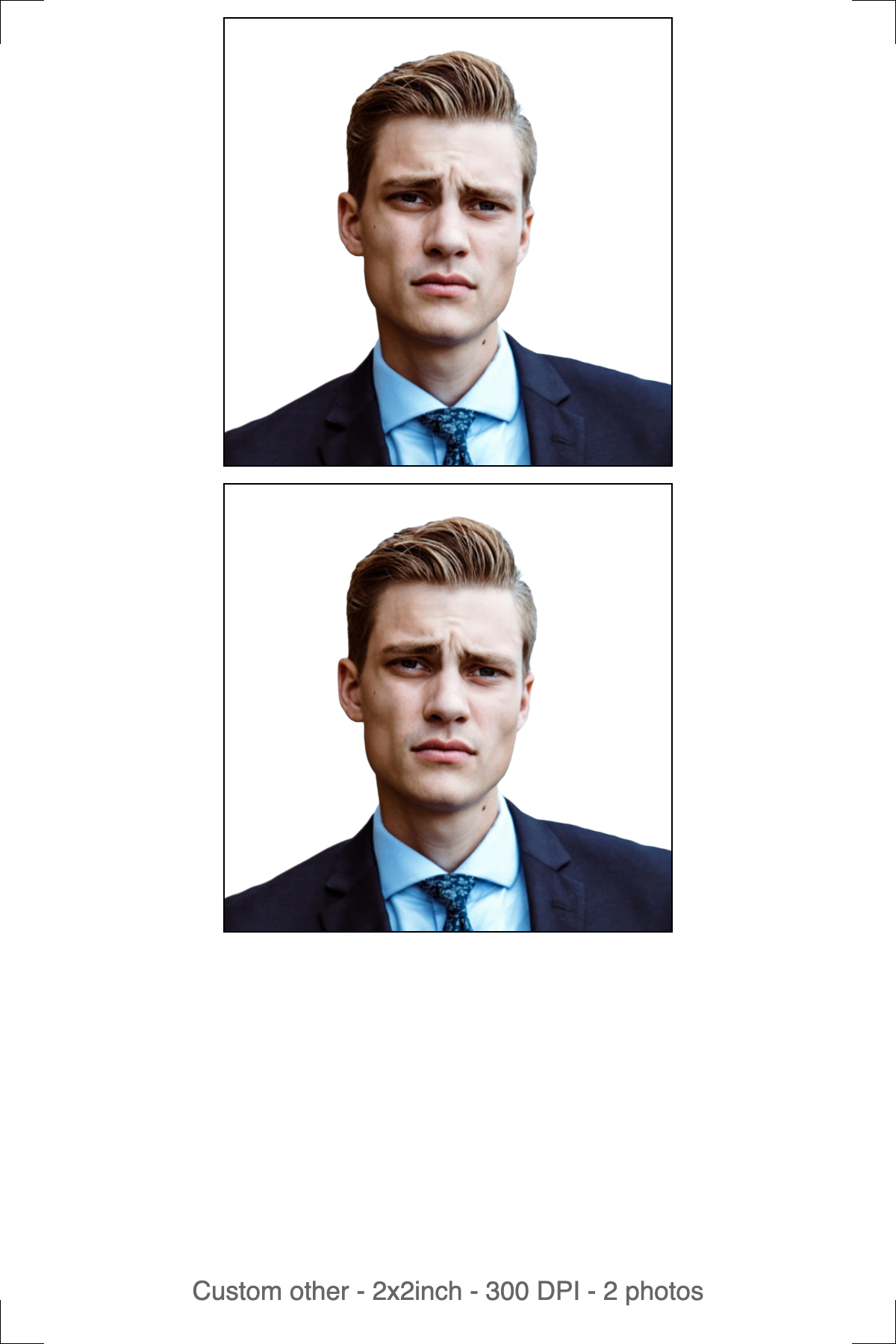
Left: the digital file for the online application. Right: the 4R print sheet for the copies you'll need on exam day.
The digital file — for the NTA portal
One photo, cropped to the exact ratio, background set to plain white, compressed under the stated KB limit. No border, no white margin, no cut marks — the portal measures your framing against the image edges, so anything extra shifts every measurement and fails the automated check.
The print sheet — for admit card and exam day
NEET admit cards require you to paste a physical photograph and carry photo ID to the exam center — and print quality matters here in a way the digital check doesn't enforce. Print on photo paper, not plain copier paper, at 300 DPI with your printer's scaling turned off. A 4R (6×4 in) sheet is the standard size any local photo lab or kiosk can produce, tiled with cut guides so you get several identical copies from one file.
Key takeaway: the digital file goes to the portal; the print goes on your admit card and into your exam-day folder. Keep both — you'll need the printed copy again at counselling.
Should You Use Automatic or Manual Mode?
Automatic mode is the right default for all three uploads: it detects your face, crops to the required ratio, removes the background, and replaces it with white in a single pass.
Manual mode gives you the control back — you crop the frame yourself, then background removal runs, then you download. It's the better choice when your photo has an unusual angle, partial occlusion from hair or glasses glare, or when automatic detection keeps mis-framing the shot. The toggle sits above the upload area, and you set it before uploading — it decides which processing screen you land on next.
For the postcard photo specifically, manual mode is worth using even when auto-detect works fine, since you're framing a much larger canvas and it's easier to confirm head position by eye at that size.
How Do You Hit NEET's Exact KB Limits?
This is where most home attempts fail even after the crop and background look right — and it's the part worth spending the most time on, because NTA's limits are unusually tight and unusually strict about being under, not near.
A phone photo, once resized to 413×531px, commonly still lands at 150–400KB depending on lighting and detail — over the passport photo's 200KB cap before you've touched compression at all. The postcard photo, at 1200×1800px, starts even heavier since it's a much bigger canvas holding the same amount of visual detail. And the signature's 30KB ceiling is tighter than either photo limit by a wide margin, which means a scan that "looks fine" at a glance is very often still 3–4× over budget.
Quality-percentage sliders don't solve this reliably. An 80% quality setting can produce a 40KB file from one photo and a 120KB file from a nearly identical one — the result depends on background detail and noise, not just the percentage you chose. That's why targeting the kilobyte number directly, rather than a vague quality setting, matters more here than for almost any other image type you'll ever resize.
Compression happens after cropping, never before. Compressing an oversized photo down to a target KB produces visible blur the moment NTA's verification staff zoom in; compressing a correctly-cropped photo to the same target stays clean, because there's less pixel data to throw away in the first place.
Key takeaway: resize to exact dimensions first, then compress to the exact KB number for that specific upload — the passport photo, postcard photo, and signature each have a different ceiling, and hitting one doesn't mean you've hit the others.
How to Create Your NEET Photo Size Using imresizer
- Go to imresizer.com/india-neet-passport-size-photo for the passport photo, imresizer.com/india-neet-postcard-size-photo for the postcard photo, or imresizer.com/india-neet-signature-size-photo for the signature — each tool is pre-configured to that upload's exact spec.
- Upload your photo — click the button or drag and drop. JPG, PNG, and WebP are all accepted.
- Pick automatic or manual mode before processing, depending on how straightforward your source photo is.
- The tool crops to the correct ratio, sets a plain white background, and compresses under that upload's KB limit automatically. Download the result.
Everything runs in your browser — your photo never leaves your device, and no signup is required. If you need a different ratio or KB target for a state-level or counselling re-upload, imresizer.com/resize-image-to-3.5x4.5cm and imresizer.com/templates/compress cover it without the NEET-specific presets.
Key Takeaways
Free Passport & Visa Tools
Frequently Asked Questions
What is the exact NEET photo size for the online application?
3.5cm × 4.5cm for the passport photo, which converts to 413×531 pixels at 300 DPI, JPEG, under 200KB, plain white background. NEET also requires a separate 4×6in postcard photo and a 3.5×1.5cm signature, each with its own limit. Use imresizer's NEET passport photo tool to hit the crop, background, and file size in one step.
What is the NEET postcard photo size?
4 inches × 6 inches, which is 1200×1800 pixels at 300 DPI — the same white background and JPEG rules as the passport photo, and the same 200KB cap. It's a separate required upload used for admit card and counselling documentation, not a duplicate of the passport photo. Start from your original photo rather than upscaling the smaller passport crop.
What is the signature size requirement for NEET?
3.5cm × 1.5cm, under 30KB — a tighter file limit than either photo. It's a separate upload with its own dimension and size checks. Crop your scanned signature to that exact ratio first, then compress to the 30KB target; skipping the crop step means the portal's own resizer will stretch or squeeze it into shape.
Why does the NEET portal say my photo size is invalid?
Usually the pixel dimensions don't match the required ratio, or the file exceeds the KB limit even though the crop looks correct — these two checks run independently for every one of NEET's three uploads. Fixing the crop alone won't pass verification if the file is still oversized; both need to be corrected at once.
Can I use a phone photo for my NEET passport, postcard, and signature uploads?
Yes, as long as each is cropped to its own exact ratio and compressed under its own KB limit afterward — a phone photo straight out of the camera roll is almost always oversized on both counts. Resize to the correct pixel dimensions first, then compress to the exact KB number; compressing an oversized image first produces visible blur once cropped down.
More Passport & Visa Guides
This guide is part of our Passport & Visa hub — tools and guides for creating compliant passport, visa, and ID photos from home.