India Passport Size Photo Requirements (2026 Guide)
India passport size photo requirements: 2×2 inch (51×51 mm), plain white background, and Passport Seva's real upload limits — get it accepted on the first try.
You cropped the photo, uploaded it to Passport Seva, and got rejected — "photo does not meet specifications," no further detail than that. So you crop it again, guess a different ratio, and wait for the next rejection.
The India passport size photo spec is narrower than most guides make it sound, and half of them get the dimensions wrong to begin with. It's a square photo, 2×2 inch (51×51 mm), plain white background, uploaded as a JPEG small enough for the Seva portal to accept. Get any one of those wrong and the form kicks it back.
India Passport Size Photo Requirements at a Glance
| Spec | Requirement |
|---|---|
| Dimensions | 2 × 2 in (51 × 51 mm) |
| Shape | Square |
| Background | Plain white |
| File format | JPEG |
| Max upload size | Up to 1 MB |
| Minimum resolution | 200 × 200 px |
| Photo age | Taken within the last 6 months |
| Expression | Neutral, eyes open, mouth closed |
| Headwear | None, except for religious reasons |
| Make one now | Make an India passport photo |
What Size Is an Actual India Passport Photo?
Two inches by two inches. Square, 51×51 mm if you're working in metric — the same footprint as a US passport photo, which surprises people who assumed India followed the UK's rectangular format.
Here's what most guides skip: a lot of them list India as 35×35 mm, and a few list it as 35×45 mm. Neither is right. The 35×45 mm rectangle is the UK and Schengen spec — a completely different shape, tall rather than square. The 35×35 mm figure floating around the internet looks like a garbled version of that same number, and it's stuck around because nobody double-checks it against the actual application form.
The confusion matters because dimensions aren't interchangeable. A 51×51 mm square cropped down to fit a 35×45 mm frame either crushes your face or adds white space Passport Seva's automated check will flag. If you've also applied for a UK or Schengen visa recently, don't reuse that photo — it's a different shape, not just a different size.
It's worth being specific about where these numbers come from, since it explains why the mix-up is so common. Older printed guidance from some passport offices used metric measurements that got copied and mistyped across enough blogs that the wrong figure now outranks the right one in search results. The safest move isn't memorizing a number from an article — it's letting a tool that's tied to the actual India passport template do the cropping, so you're not relying on whichever figure you happened to read first.
Key takeaway: India passport, visa, and OCI (Overseas Citizen of India) photos all use the same 2×2 in / 51×51 mm square with a white background. If a form you're filling out asks for anything else, it's not the passport spec — check the form again before you crop.
What Background and Pose Does Passport Seva Require?
Plain white. Not off-white, not light grey, not whatever wall happened to be behind you when you took the photo. Passport Seva's scanning system is tuned to detect a uniform white field, and shadows or a color cast behind your head are one of the most common rejection reasons — right after wrong dimensions.
Beyond the background:
A photo booth print that looks fine on paper can still fail digitally, because the scan can introduce a faint grey tint the human eye barely notices but a background-detection algorithm does. If you're editing at home instead of using a studio, start from a photo shot against an actual white wall or sheet — not a cream-colored one that photographs as "close enough."
Key takeaway: the background rule is stricter in practice than it reads on paper. If in doubt, replace the background digitally rather than trust that your wall was white enough.
What's the Real File Size Limit for a Passport Seva Upload?
This is where the KB math actually happens, and it's less brutal than most guides imply — but only if you hit it deliberately. Passport Seva accepts JPEGs up to 1 MB, with a minimum resolution around 200×200 px. That's a generous ceiling compared to, say, a US visa portal.
The catch: phone cameras don't produce 1 MB square crops either. A modern phone photo runs 3–8 MB uncompressed, several times over the cap even after you crop it down to the 51×51 mm frame. Dragging a generic quality slider down until the file "feels small enough" is how people end up either still over the limit, or so over-compressed it fails on quality instead.
Compression by quality percentage is unreliable for this exact reason: an 80% quality setting might produce a 40 KB file for one photo and a 120 KB file for another, depending on how much detail is in the background and hair. That's why targeting kilobytes directly — not a quality slider — matters more here than for almost any other image type.
Key takeaway: target the file size in KB, not a quality percentage. If your specific application portal states a tighter cap than 1 MB — some regional Passport Seva Kendras and third-party verification tools do — compress to that exact number instead of guessing.
Digital File or Print Sheet — Which One Do You Need?
A passport photo means two different files depending on what you're doing with it. Uploading to the Passport Seva portal and handing a print to a Seva Kendra counter need different things, and sending the wrong one is a quiet way to stall your application.

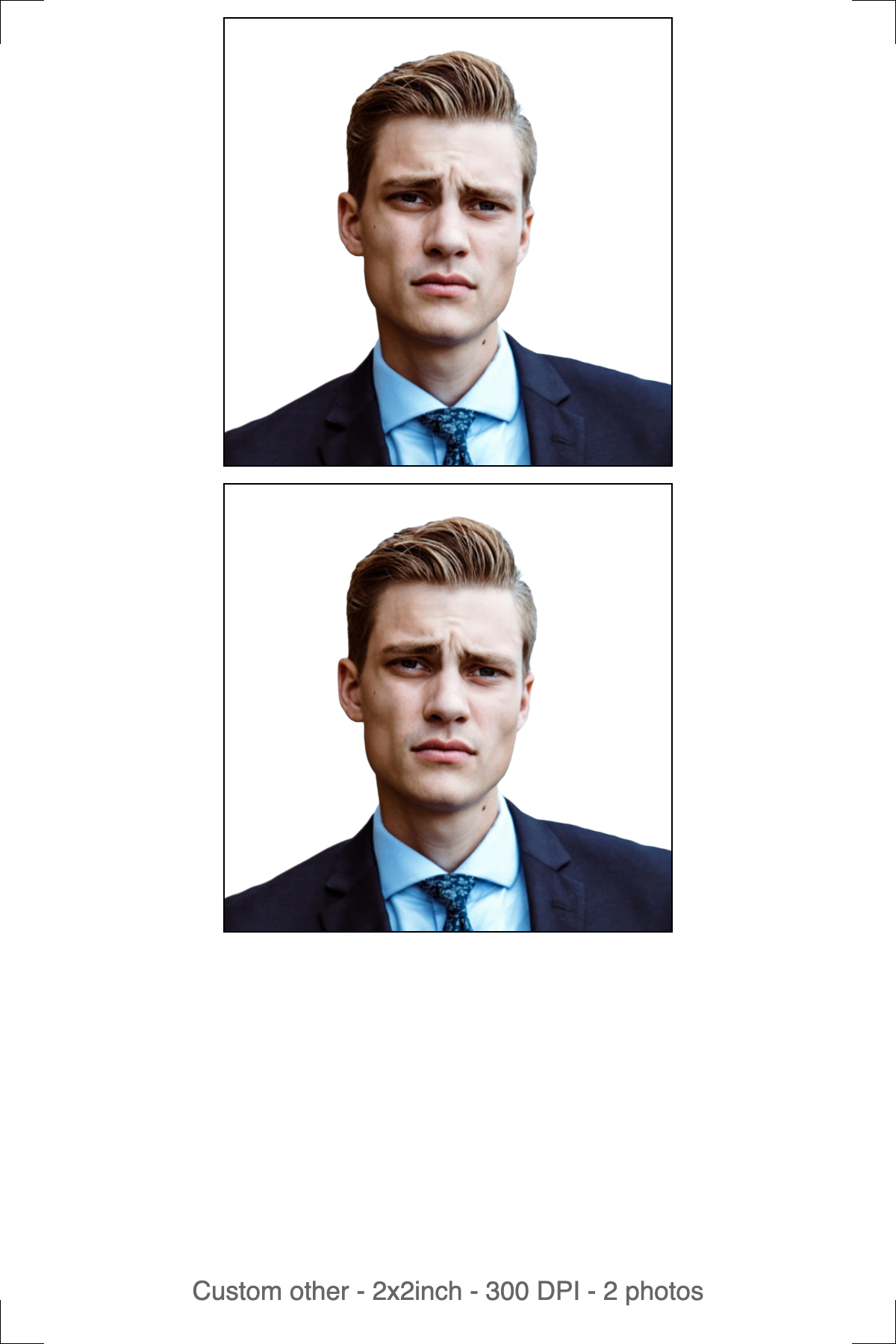
Left: the digital file for the online upload. Right: the 4R print sheet for a photo counter or home printer.
The digital photo is one image, cropped to the exact 2×2 in square, background replaced with plain white, compressed to fit the portal's cap. No borders, no cut marks, no margin around the edge — the portal measures your head against the photo's own edges, so an extra border shifts every measurement and fails the automated check even when the face itself is fine.
The print sheet is the same photo tiled multiple times onto standard 4R (6×4 in) photo paper at 300 DPI, with cut guides. Print it at actual size — turn off "fit to page" or "scale to fill" in your printer dialog, since scaling changes the photo's real-world dimensions along with the head size. Use photo paper, not plain copier paper; most passport offices reject prints on ordinary paper outright.
Key takeaway: upload the digital file, print the sheet — never crop the print sheet down to make an upload, and never take the single digital photo to a print counter expecting it to come out at the right physical size.
Should You Use Automatic or Manual Mode?
Automatic mode is the default, and it's what most applicants should use: it detects your face, crops to the 2×2 in square, removes the background, and replaces it with white, all in one pass.
Manual mode hands you the controls instead. You crop the region yourself first, then the background gets removed, then you download — three steps instead of one. Switch to it when automatic detection gets the framing wrong, which happens most often with a partial face angle, glasses glare confusing the crop, or a baby who won't hold still.
The toggle sits above the upload area — set it before you upload, since it decides which screen you land on next.
Key takeaway: start with automatic mode. Only switch to manual if the auto-crop puts your face off-center or clips your chin.
Does Passport Seva Online Need a Different Photo Than a Seva Kendra Walk-In?
Yes, in practice, and this is where a lot of applicants get caught out. The online application — filling in your details, generating an Application Reference Number, booking your appointment slot — needs the digital JPEG described above, uploaded through the portal at or under its file size cap.
Most Passport Seva Kendras capture your photo live with a webcam at the counter during your appointment, which is why the in-person step doesn't strictly require a printed photo the way it once did. Policy on this varies by regional office, though, and it's changed more than once — so carrying two printed 2×2 in copies as a backup costs you nothing and covers you if your Kendra still asks for them.
There's a third scenario worth flagging: reprints and corrections. If your application gets sent back for a photo defect after your appointment, you're usually asked to re-upload rather than rebook a visit — which means keeping your original digital file (not just the print) is worth doing even after you've submitted it. Delete it the day you get your passport, not the day you finish the form.
Key takeaway: treat the digital upload as mandatory and the printed copies as cheap insurance. Print a sheet alongside your digital file so you're not scrambling for a photo booth on appointment day.
How to Make an India Passport Size Photo Using imresizer
- Go to imresizer.com/india-passport-photo
- Upload your photo — click the button or drag and drop. JPG, PNG, and WebP are all supported.
- The crop is pre-set to India's 2×2 in square. Adjust the frame so your face is centered and your chin isn't clipped at the bottom.
- Confirm the background is replaced with plain white, then download. You get both the digital file and a print sheet.
If the digital file still comes out too large for your portal's cap, run it through imresizer.com/resize-image-to-20kb or imresizer.com/templates/compress to target an exact KB number instead of a quality slider. Everything runs in your browser; your photo never leaves your device.
Key Takeaways
Free Passport & Visa Tools
Frequently Asked Questions
What is the exact size of an India passport photo?
2×2 inches, or 51×51 mm — a square format, the same footprint as a US passport photo. It's not 35×35 mm or 35×45 mm, two figures that circulate widely online but belong to other countries' formats. India's passport, visa, and OCI photos all share this same square spec.
What background is required for an India passport photo?
Plain white, with no shadows, patterns, or color tint. Passport Seva's scanning system is calibrated for a uniform white field, and an off-white or grey background is one of the most common reasons photos get rejected during verification.
What is the maximum file size for a Passport Seva photo upload?
Up to 1 MB, with a minimum resolution of roughly 200×200 px. Phone photos typically run 3–8 MB before cropping, so you'll still need to compress heavily. Target the KB number directly with a compression tool rather than guessing from a quality percentage.
Do I need a different photo for the Seva Kendra appointment than for the online application?
The online application needs the digital JPEG upload. Most Seva Kendras capture your photo live at the counter, so a printed copy usually isn't strictly required — but the policy has varied by regional office, so bringing two printed 2×2 in copies as backup is worth the five minutes it costs.
Can I use the same photo for my India visa or OCI application?
Yes — India visa and OCI (Overseas Citizen of India) photos use the same 2×2 in square format and white background rule as passport photos. Some embassies layer on their own requirements for visa applications specifically, so check the destination country's portal, but the base spec matches.
More Passport & Visa Guides
This guide is part of our Passport & Visa hub — tools and guides for creating compliant passport, visa, and ID photos from home.